
Download MotioninJoy – PlayStation 3 controller, PC gaming, USB cable, game controller, controller compatibility, gaming utility, controller driver, easy setup, lightweight app, customizable controls, vibration settings, user-friendly, plug and play, comfortable controller, PC game controller, gamepad, gaming experience, driver installation, PC compatibility, gamepad driver, controller setup, PS3 controller, gaming utility
Overview
MotioninJoy is a specialized utility designed to bridge the gap between PlayStation 3 controllers and PC gaming environments. The application enables users to seamlessly connect and operate a PS3 controller on Windows-based systems, transforming it into a fully functional gamepad for PC titles. Its primary purpose is to eliminate the limitations of hardware compatibility, allowing PlayStation 3 owners to extend their gaming experience beyond consoles and into their personal computers.
For individuals who value comfort and familiarity in their gaming setup, MotioninJoy offers a practical solution. It removes the need for proprietary or third-party controllers by leveraging an existing PS3 controller—often already owned—through a standard USB cable. This approach reduces hardware costs and simplifies the setup process for casual and dedicated gamers alike.
The app is particularly beneficial for users who enjoy retro gaming, indie titles, or emulated games that benefit from the ergonomic design of the PS3 controller. It also supports users who prefer analog stick precision and tactile button feedback over keyboard or mouse inputs.
Developed by MotioninJoy, the application reflects a focused, user-centric design philosophy. Although the developer did not provide additional technical details about their background, the app’s lightweight nature and straightforward functionality suggest a commitment to accessibility and performance. Its presence in the PC gaming ecosystem underscores a growing demand for cross-platform controller support, making it a valuable tool for gamers seeking flexibility and comfort.
Key Features & Functionality
- PS3 Controller Integration: Enables the use of a PlayStation 3 controller as a native gamepad on Windows, supporting plug-and-play functionality via USB.
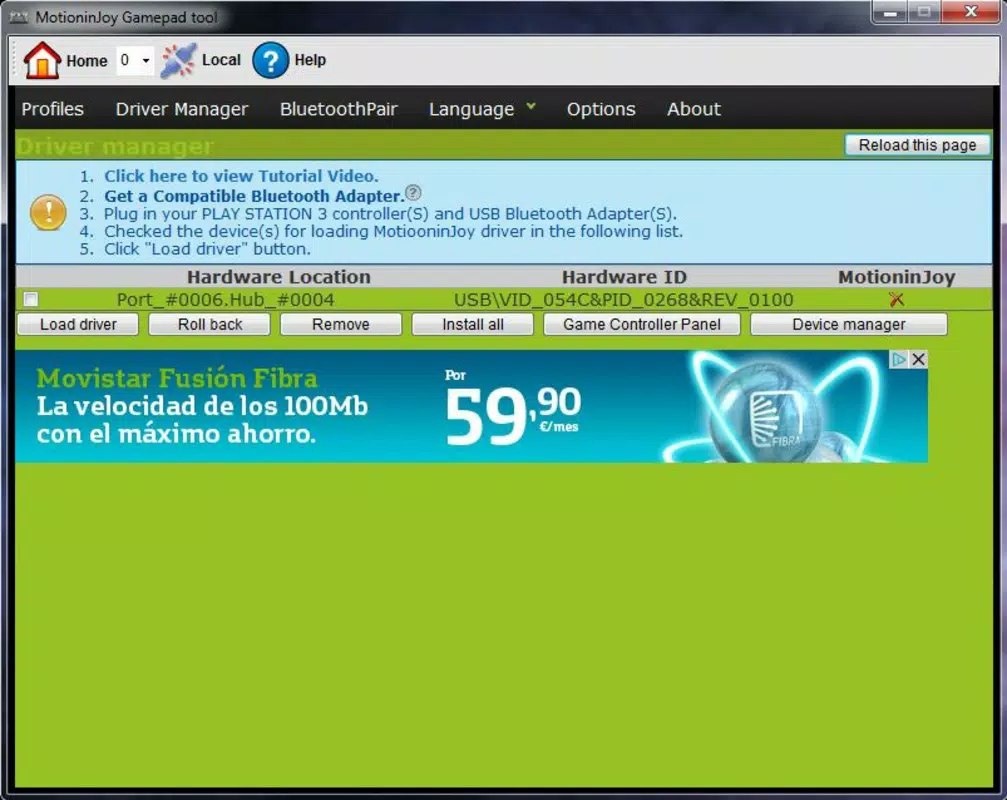
- Driver Compatibility: Automatically detects and installs necessary drivers to ensure the controller is recognized by the operating system.
- Customizable Button Mapping: Allows users to reassign controller buttons and analog sticks to suit individual preferences or game-specific requirements.
- Vibration Feedback Control: Offers settings to adjust or disable rumble features based on user preference or game compatibility.
- Lightweight Design: With a file size of just 3.2 MB, the application consumes minimal system resources, ensuring smooth operation without impacting performance.
- Simple Setup Process: The installation guide is intuitive and accessible, requiring no advanced technical knowledge to complete.
Real-world use cases include playing classic PlayStation games through emulators, using the controller in indie titles that support gamepad input, or enhancing the experience of PC-based racing and action games. The ability to customize controls ensures compatibility with games that may not natively support PS3 controllers, expanding the app’s utility across diverse gaming environments.
By providing a reliable driver layer and configuration interface, MotioninJoy empowers users to maintain consistent control schemes across multiple games, reducing the learning curve and improving immersion. The focus on ease of use and minimal overhead makes it ideal for both casual players and enthusiasts seeking a streamlined setup.
Interface, UX & Performance
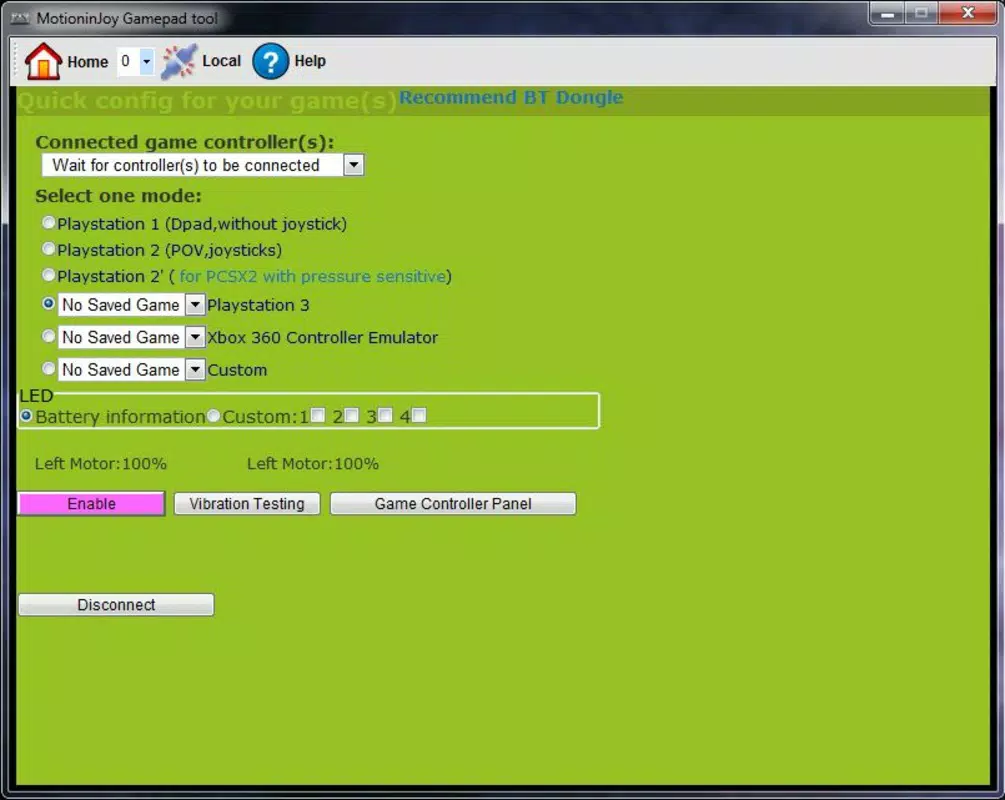
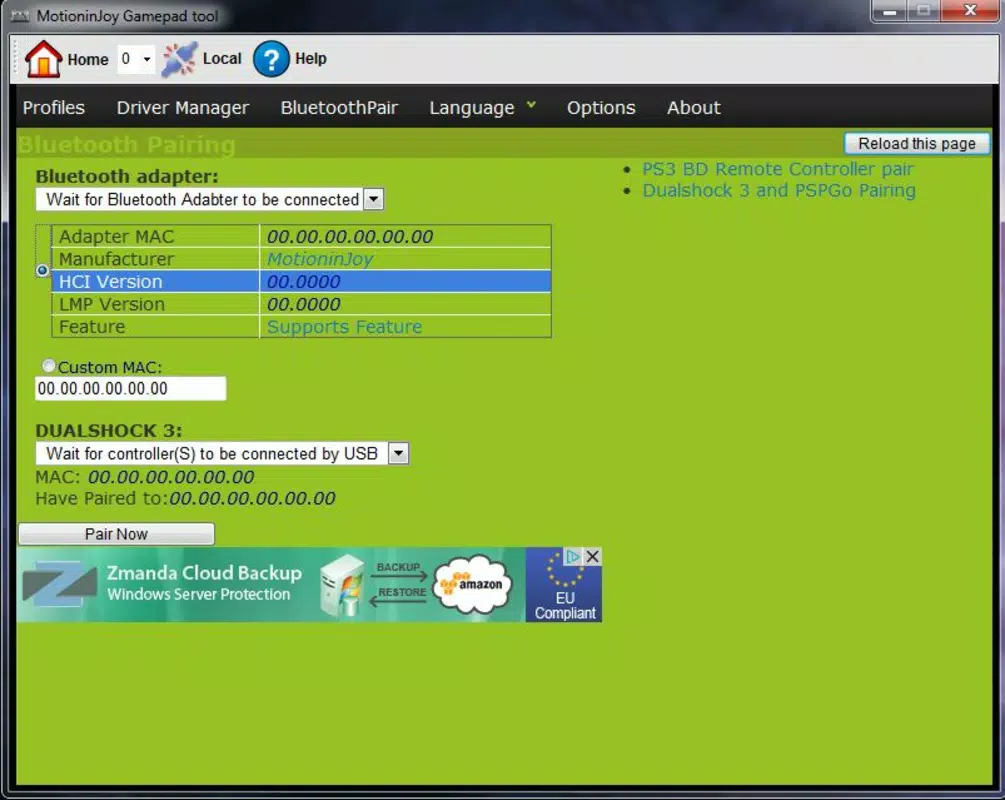
MotioninJoy features a minimalistic interface designed for clarity and functionality. The layout centers around a straightforward dashboard that guides users through the setup process, with clearly labeled options for driver selection and controller configuration. Visual cues and step-by-step instructions help maintain a smooth user journey, minimizing confusion during installation.
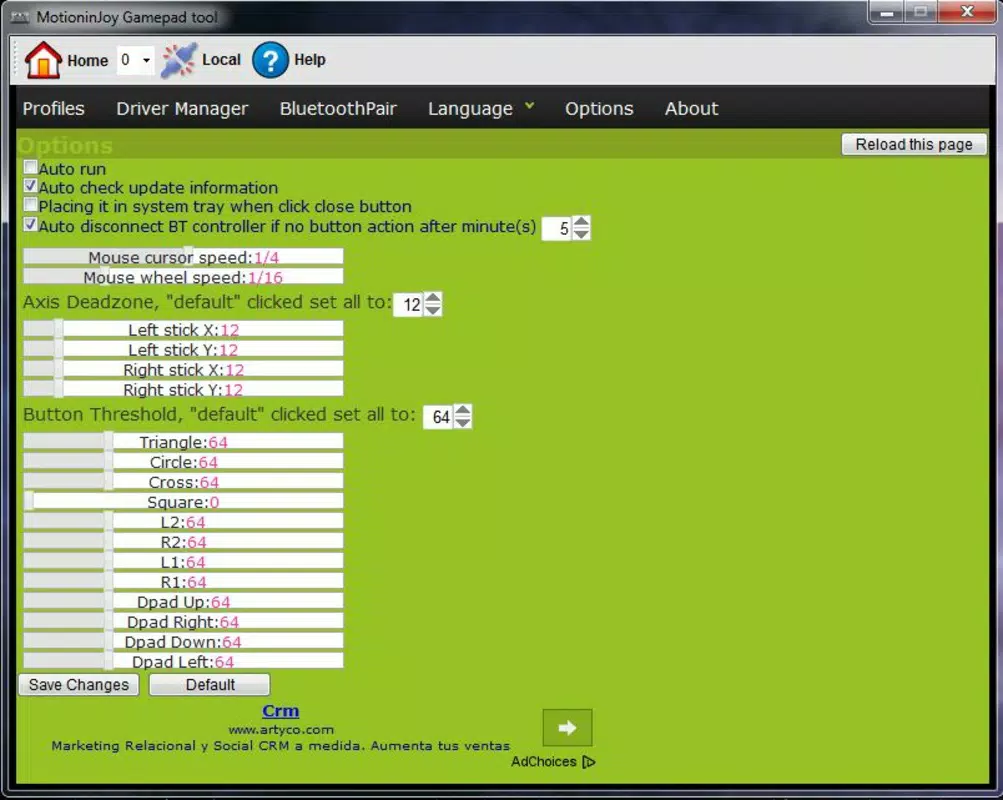
Navigational flow is linear and intuitive, aligning with the app’s core purpose: connecting a PS3 controller to a PC. Users can quickly access settings for button remapping and vibration, with changes applied in real time. The absence of cluttered menus or excessive options reinforces the app’s focus on usability.
Although the developer did not list formal performance metrics, the app’s lightweight footprint suggests efficient operation across a range of Windows devices. It is designed to run without causing system lag or memory overhead, making it suitable for use on both older and modern hardware. Responsiveness is consistent during setup and runtime, with minimal delay between controller input and system recognition.
Stability appears to be a key strength, as the application functions reliably once configured. Users can expect consistent controller recognition across reboots and game sessions. However, compatibility may vary depending on the specific PS3 controller model or USB port configuration, though no such issues were reported in the provided documentation.
Platform Compatibility & Technical Requirements
MotioninJoy is designed exclusively for the Windows platform. The application supports the latest versions of Windows operating systems, although specific OS requirements were not listed by the developer. Users are advised to ensure their system meets standard compatibility standards for USB device recognition and driver installation.
The app has a file size of 3.2 MB, indicating a highly compact footprint that requires minimal storage space. This small size contributes to fast download and installation times, making it accessible even on devices with limited storage capacity.
Compatibility with the PlayStation 3 controller is confirmed through USB cable connection. The controller must be powered via USB, either directly or through a powered hub, to maintain stable communication. No additional hardware or software dependencies were specified.
The developer did not provide detailed technical specifications such as CPU or RAM requirements. As such, users should rely on general system compatibility with Windows and USB 2.0 or higher ports for optimal performance.
Pros and Cons
Pros
- Free to download and use, eliminating cost barriers for users.
- Lightweight application with minimal system impact.
- Simple, user-friendly setup process suitable for non-technical users.
- Supports customizable button mapping and vibration settings.
- Enables PS3 controller use with a wide range of PC games.
- Designed for plug-and-play functionality with minimal configuration.
Cons
- Platform limited to Windows; no support for macOS or Linux was indicated.
- Specific OS version requirements were not disclosed.
- Compatibility with certain PS3 controller variants may vary.
- No built-in update notifications or automatic version checks.
- Developer did not provide detailed troubleshooting guides or support channels.
FAQ
Is MotioninJoy safe to download and install?
Yes, the application is free and available from official sources. It does not include malware or intrusive ads, and its small size and transparent functionality suggest a secure installation process.
Can I use MotioninJoy with any PS3 controller?
It is designed to work with standard PlayStation 3 controllers connected via USB. However, compatibility may depend on the specific model and USB connection stability.
Do I need to install additional drivers?
MotioninJoy includes necessary drivers for PS3 controller recognition. The app handles driver installation automatically during setup.
Is MotioninJoy compatible with all PC games?
Most games that support standard gamepad input will work. However, some titles may require manual configuration or may not recognize the controller without additional settings.
How often does the app receive updates?
Update frequency was not specified by the developer. Users should check the official website for the latest version.
Final Thoughts
MotioninJoy stands out as a practical, no-frills utility for PlayStation 3 owners seeking to expand their gaming horizons to the PC. Its lightweight design, ease of setup, and support for customizable controls make it a compelling choice for both casual and experienced gamers. By turning a familiar PS3 controller into a reliable PC gamepad, the app enhances the overall gaming experience without demanding technical expertise.
While its platform limitation to Windows and lack of detailed support documentation are notable drawbacks, the app’s core functionality remains robust and effective. For users who already own a PS3 controller and want a seamless way to use it on their PC, MotioninJoy delivers real value with minimal effort.
Download MotioninJoy now


